Documentation Platforms Generate the File, Then You Edit It

Mintlify automatically generates llms.txt and llms-full.txt for every project it hosts, and that default did more for adoption of the format than the specification behind it. llms.txt is a markdown file at a site's root listing the pages an AI agent should read, one line each. For a documentation tree the generated output is usually right. A company selling something outside its docs needs a different file, and the platform will not write it.
Key takeaways:
- Mintlify automatically generates llms.txt and llms-full.txt for every hosted project, at the project root and again under
/.well-known/.- The generated file cannot exceed 100,000 characters. Past that, Mintlify truncates it and appends a note counting the omitted pages.
- Page descriptions come from frontmatter and truncate at 300 characters or the first line break.
- A custom file at the project root replaces the generated version and must carry a site title as an H1. Delete it and generation resumes.
- Agents drove 66% of measured traffic across Mintlify powered docs in July 2026, against 15.2% at the start of the year.
Documentation platforms drove adoption, and shaped what readers expect
Jeremy Howard, co-founder of Answer.AI, published the /llms.txt proposal on September 3, 2024, describing it as "a markdown file that provides brief background information and guidance, along with links to markdown files providing more detailed information". The specification requires one element, an H1 carrying the project name.
Adoption came from the platforms. Mintlify announced automatic generation on November 20, 2024, in a post by Tiffany Chen framing it as a new baseline for documentation sites.
Reach and usage diverge sharply. Ahrefs monitored 137,210 domains and found 28% publishing the file, 97% of which received zero requests in May 2026. Louise Linehan, Content Marketer at Ahrefs, put it plainly: "If you publish an llms.txt file today, the most likely outcome by far is that nothing ever fetches it."
Mintlify automatically generates llms.txt and llms-full.txt at four paths
Mintlify hosts llms.txt at the documentation project root and llms-full.txt beside it, then serves both again at /.well-known/llms.txt and /.well-known/llms-full.txt for tools that check the conventional discovery directory. The index carries one line per page. llms-full.txt is the whole documentation set concatenated into one file, sized for long context windows.
Three generation rules shape the output, and none consult you. Page links carry a .md extension, so an agent following one receives markdown instead of rendered HTML. Pages are listed alphabetically in the order they appear in the repository, starting at the root directory, which discards your navigation sequence. On a partially authenticated site both files stay public and list only public pages, excluding anything restricted to user groups.
Because Mintlify automatically generates llms.txt and llms-full.txt from the repository rather than from your positioning, the result is a faithful table of contents. The behaviour is documented in the Mintlify llms.txt reference.
The 100,000 character ceiling and the 300 character description cut
Automatically generated llms.txt files on Mintlify cannot exceed 100,000 characters. Beyond that limit Mintlify truncates the file and appends a note listing the number of omitted pages.
Descriptions truncate at 300 characters and the first line break, whichever comes first. Each is pulled from page frontmatter, so the sentence an agent reads was written for a docs header rather than for an answer engine deciding whether to cite you.
Run the arithmetic. Six hundred pages whose entries average 180 characters produce 108,000 characters, 8,000 over the ceiling; roughly the last 44 pages alphabetically drop out, with no build-time warning. At that scale the fact that Mintlify automatically generates llms.txt and llms-full.txt stops being a convenience. Cloudflare's developer documentation segments instead, with a root /llms.txt grouped by product linking to per product files such as /workers/llms.txt.
Overriding the generated file, and undoing the override
A custom llms.txt at the project root replaces the generated version entirely, and Mintlify requires one thing of it: a site title as an H1 heading. Deleting that file restores automatic generation, which makes the override reversible in a single commit. Before spending it, check when a generated default is already right.
Six checks before you ship a custom file:
- Site title. An H1 naming the company, not only the docs product.
- Summary blockquote. One paragraph on what the organisation does and who it serves, which no generator can invent.
- Section order. Group by reader intent instead of alphabetical repository order.
- Description rewrite. Replace frontmatter written for a docs header with sentences written to be quoted.
- Character budget. Stay under the 100,000 character ceiling so nothing truncates as the docs grow.
- Cross-reference. Link to the company file at the marketing root, and link back.
Deletion is the rollback. Mintlify exposes no flag that disables generation while leaving the path empty.
Docusaurus, GitBook and Astro Starlight each decide something different
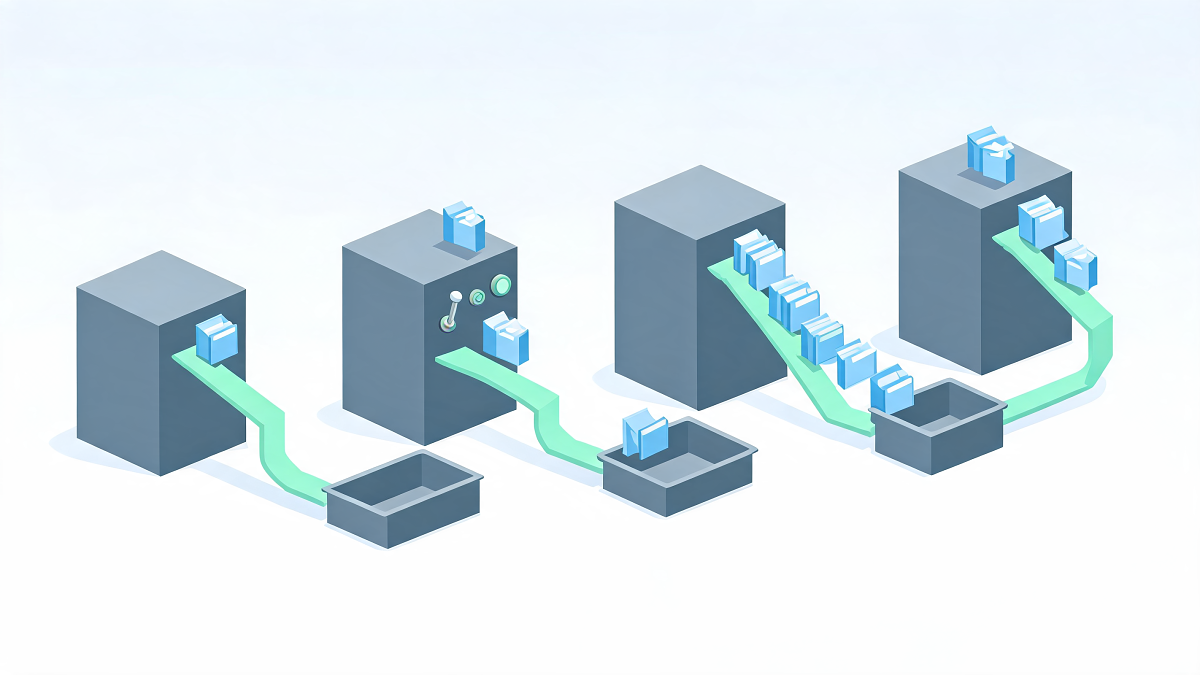
Mintlify automatically generates llms.txt on publish; the other three stacks each hand you a different set of decisions. Docusaurus ships no native support, and the core request, issue 10899 on facebook/docusaurus, remains open, so generation comes from community plugins. @signalwire/docusaurus-plugin-llms-txt builds an llms.txt index plus a .md twin of every page, and leaves enableLlmsFullTxt, includeBlog and includePages at false.
GitBook publishes a full export at /llms-full.txt, a sitemap.md index, and a markdown twin of every page, reachable by appending .md or sending an Accept: text/markdown header.
starlight-llms-txt is the most curatable of the four, emitting llms.txt, llms-full.txt and llms-small.txt, with promote (default ['index*']), demote, exclude and customSets glob options plus a minify block that strips notes, tips and details from the small variant.
| Platform | Generated by default | Files emitted | What you control |
|---|---|---|---|
| Mintlify | Yes, on publish | llms.txt, llms-full.txt, /.well-known/ twins | Override by committing a custom file |
| Docusaurus | No, community plugin | llms.txt, per page .md, optional llms-full.txt | Every option, including whether llms-full.txt exists |
| GitBook | Served at documented paths | llms-full.txt, sitemap.md, per page .md | Content negotiation, little else |
| Astro Starlight | No, plugin | llms.txt, llms-full.txt, llms-small.txt | promote, demote, exclude, customSets, minify |
For the option-by-option view, see the platform comparison.
Mintlify automatically generates llms.txt and llms-full.txt for a docs tree, and a company needs a second file
A docs tree is a page hierarchy where an accurate index genuinely is the right answer: an agent looking up a config option wants the page list. A company is a positioning statement, a set of offers, a proof surface and a contact path, and an alphabetical page list answers none of it.
The failure is quiet: the file validates, the crawler fetches it, and the answer describes your documentation while saying nothing about your business.
Two files with an explicit relationship fix it. The platform keeps generating at the documentation domain, the company file sits at the marketing root, and each links to the other, which tells an agent both properties belong to one organisation. That reconciliation is covered in reconciling a docs file with the company file.
FAQ: generated files on hosted documentation platforms
What happens when a docs set exceeds the 100,000 character limit?
Mintlify truncates the generated file and appends a note listing how many pages were omitted. Truncation follows the alphabetical listing order, so the pages that disappear are the ones sorted last. A hand written custom file keeps the index whole.
Can a custom file replace the generated one?
Yes. A custom llms.txt or llms-full.txt at the project root replaces the automatically generated version, and Mintlify requires it to carry a site title as an H1 heading. The override is reversible: deleting the custom file restores automatic generation on the next build.
Why are the page descriptions in my generated file cut short?
Truncation explains most of it. Mintlify takes each description from the page frontmatter and cuts it at 300 characters or at the first line break, whichever comes first. A description written as a two line docs header therefore reaches an agent as a single clause.
Do I still need a company file when Mintlify automatically generates llms.txt and llms-full.txt?
Yes, whenever the brand sells outside its documentation. The generated file describes a page tree, so an agent reading it summarises your documentation rather than your business. Publish a second file at the marketing root carrying a summary blockquote, your offers and a link to the docs file, then link back from the docs side.
How La Boétie ships the company file alongside the docs file
Generation. The studio's llms.txt Generator runs at $25 or 20 € a run, self serve, with no account. It reads a live site, selects the pages worth listing, and writes the summary blockquote and section descriptions a docs platform has no source for.
Architecture. La Boétie is a flexible team of five to six engineers working across venture studio, agency delivery and fractional CTO engagements. Where the agent-facing layer has to be built rather than generated, the studio builds it.
Ownership. The studio runs on a sovereignty thesis borrowed from Étienne de La Boétie, 1548: clients keep ownership of everything built for them, with no lock-in on the file, the generator or the hosting.
Run your site through the llms.txt Generator and compare its output against what your documentation platform emits.
Conclusion
Mintlify automatically generates llms.txt and llms-full.txt for every project it hosts, serves them at the root and under /.well-known/, caps them at 100,000 characters, and cuts page descriptions at 300 characters. Those defaults suit a documentation tree. Commit a custom file with an H1 site title when the index needs to argue rather than enumerate, keep deletion in mind as the rollback, and publish a separate company file at your marketing root so an agent that finds either one finds the other.
Sources
- llms.txt : Mintlify Documentation, 2026
- Simplifying docs with llms.txt : Mintlify, November 2024
- The state of docs traffic : Mintlify, July 2026
- The /llms.txt file : Jeremy Howard, September 2024
- A proposal to help LLMs use websites : Answer.AI, September 2024
- 97% of llms.txt files never get read : Ahrefs, 2026
- LLM ready docs : GitBook, 2026
- starlight-llms-txt configuration : starlight-llms-txt docs, 2026
- docusaurus-plugin-llms-txt : SignalWire, 2026
- Docusaurus issue 10899 : facebook/docusaurus, 2025
- Docs for agents : Cloudflare Developers, 2026
Further reading:
Questions
What happens when a docs set exceeds the 100,000 character limit?
Mintlify truncates the generated file and appends a note listing how many pages were omitted. Truncation follows the alphabetical listing order, so the pages that disappear are the ones sorted last. A hand written custom file keeps the index whole.
Can a custom file replace the generated one?
Yes. A custom llms.txt or llms-full.txt at the project root replaces the automatically generated version, and Mintlify requires it to carry a site title as an H1 heading. The override is reversible: deleting the custom file restores automatic generation on the next build.
Why are the page descriptions in my generated file cut short?
Truncation explains most of it. Mintlify takes each description from the page frontmatter and cuts it at 300 characters or at the first line break, whichever comes first. A description written as a two line docs header therefore reaches an agent as a single clause.
Do I still need a company file when Mintlify automatically generates llms.txt and llms-full.txt?
Yes, whenever the brand sells outside its documentation. The generated file describes a page tree, so an agent reading it summarises your documentation rather than your business. Publish a second file at the marketing root carrying a summary blockquote, your offers and a link to the docs file, then link back from the docs side.